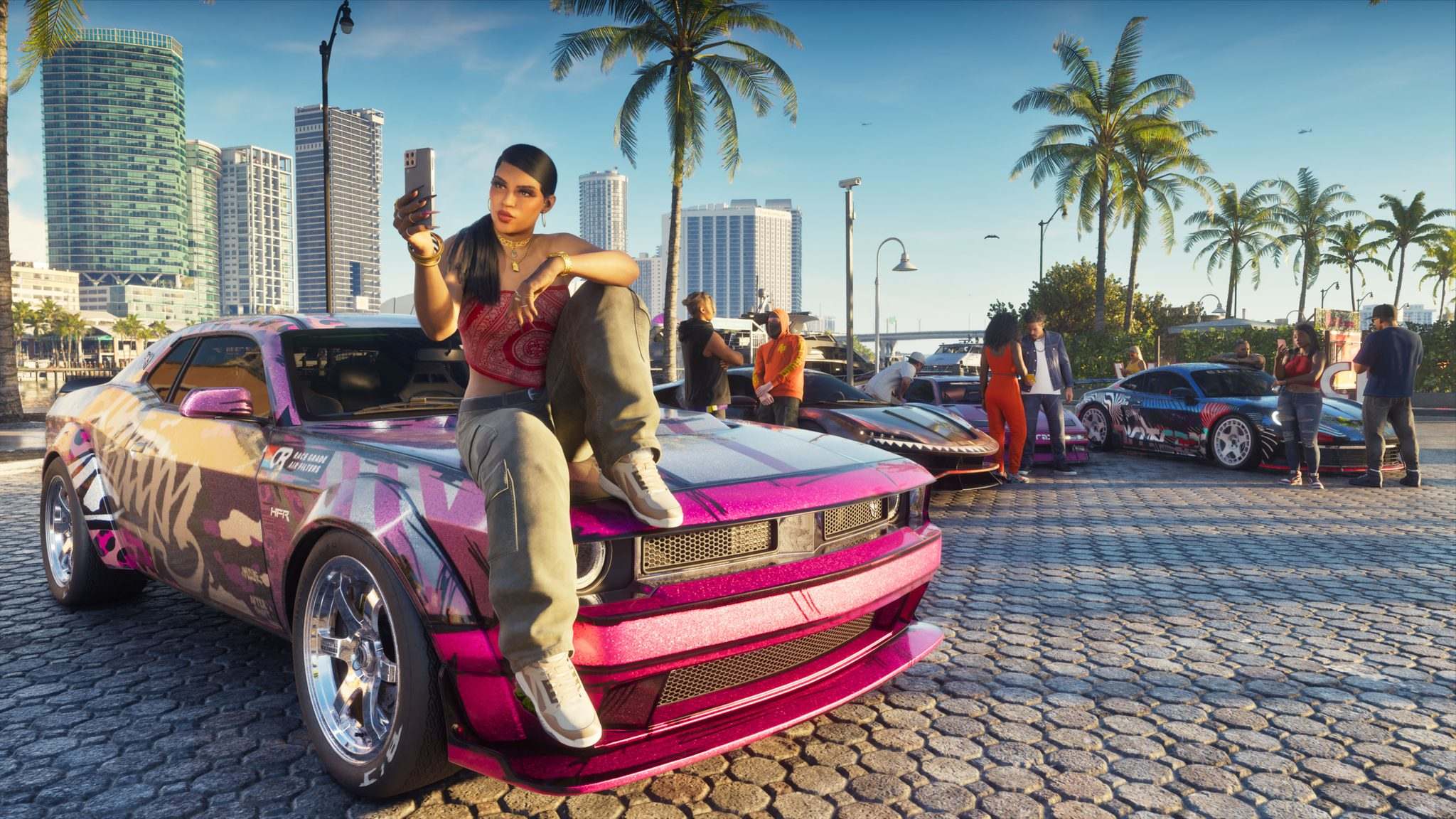
The best GTA 6 driving settings are a vehicle camera follow speed and follow delay tuned so the camera keeps up without fighting you, a lower left-stick deadzone, and Camera Shake off; on PS5, also turn Adaptive Triggers Resistance off. Together they make the camera keep up with the car and steering feel more direct.
All of these are under Pause menu > Settings; the full menu is covered in GTA 6 settings to change, and camera options beyond driving in GTA 6 camera settings. Rockstar’s menu has no handling preset or steering-assist slider, so the camera and controller settings do the heavy lifting.
Camera settings for driving
Driving cameras live in Camera > Land & Water Vehicles. Each setting comes in a Driver and a Passenger version, on a 1 to 10 scale:
- Height: how high the chase camera sits.
- Horizontal and Vertical Follow Speed: how quickly the camera swings back behind the car. The driver values start at 10, the maximum. If the camera yanks back while you’re looking around, lower them a step or two; Dexerto uses 9 and 8.
- Follow Delay: how long the camera waits after you touch the right stick before it recenters. Lower it for a camera that recenters quickly.
There is no auto-center toggle; follow speed and delay are how you tune it. In the car, hold D-pad down to switch between three camera heights and the cinematic camera.
Controller settings for driving
- Left stick Deadzone: 0 to 10, default 5. Drop it to 2 or 3 so small steering inputs register. Raise it again if your stick drifts.
- Vibration and Haptics Strength: 0 to 10, default 10. Lower it if the rumble at speed gets tiring.
- PS5 DualSense: Adaptive Triggers Resistance, Adaptive Triggers Vibration and Adaptive Speed Limiter can each be switched off. What each one does: GTA 6 DualSense settings.
One complaint these settings don’t solve: on PS5, players say R2 must be pressed about halfway before the car accelerates or the gun fires, even with trigger effects off. There is no trigger-sensitivity option yet.
Assists that make driving easier
Gameplay > Accessibility has the driving helpers:
- Auto Drive, an assisted-driving option with Restricted and Unrestricted settings.
- Nitrous: switch between hold and press activation.
- Reduced Vehicle Damage makes cars tougher. It doesn’t block trophies or achievements; see GTA 6 accessibility settings.
In Gameplay > Combat, Drive-By Assist helps you hit targets while driving.
Radio settings
Audio > Setup > Vehicle Radio (Default, On or Off) decides whether the radio starts when you get in. There is no volume control in the car itself; radio volume is set in the Audio tab only.
Driving tips players share
- Ease off the throttle. Players in the Chapter 1 help thread say feathering the trigger, rather than flooring it, makes handling far easier.
- Turn signals are on the D-pad left and right.
- Fit off-road tyres or a snorkel for rough ground and deep water; tyre types change handling.
Sources
- Dexerto: Best GTA 6 console settings (camera values)
- Rockstar Support: How to change Grand Theft Auto VI settings
- DayOne: All in-game options in GTA 6
- Engadget: How to switch camera views in GTA 6
- Dexerto: GTA 6 best controller settings
- Beebom: GTA 6 best controller settings
- VGC: Does GTA 6 have a first-person mode?
- r/GTA6: R2 sensitivity while driving and shooting
- r/GTA6: Chapter 1 help thread
Recommended settings
| Menu | Setting | Recommendation | Why |
|---|---|---|---|
| Camera > Land & Water Vehicles | Horizontal and Vertical Follow Speed (Driver) | 10 (default) for instant recentering, or 8 to 9 if the camera fights you | Driver follow speed starts at the maximum. Dexerto uses 9 horizontal and 8 vertical. There is no separate auto-center switch. |
| Camera > Land & Water Vehicles | Follow Delay (Driver) | Low (Dexerto uses 2) | Shorter wait before the camera recenters after you move the right stick. |
| Controller | Left stick Deadzone | 2 to 3 (default 5) | Small steering inputs register instead of disappearing into the dead zone. |
| Controller (PS5) | Adaptive Triggers Resistance | Off | Lighter triggers for long drives. |
| Controller (PS5) | Adaptive Speed Limiter | Your choice | One of three DualSense feedback options; switch off any you don't like. |
| Gameplay > Accessibility | Nitrous | Press instead of Hold | Fire nitrous with a tap instead of holding a button mid-corner. |
| Gameplay > Combat | Drive-By Assist | On | Easier shooting from a moving car. |
| Camera > Comfort | Camera Shake | Off | Less screen shake at speed and in crashes. |
Questions
How do you change the driving camera in GTA 6?
Hold D-pad down while in a vehicle to pick one of three camera heights or the cinematic camera.
Is there first-person driving in GTA 6?
Not a full first-person mode. Some vehicles switch to a first-person view, and using the phone while driving shows one, but there's no first-person camera option.
Does GTA 6 have an auto drive option?
Yes. Auto Drive is an assisted-driving option in Gameplay > Accessibility, with Restricted and Unrestricted settings.
Why do I have to press R2 halfway to accelerate?
Players report it on PS5 even with trigger effects off. There's no trigger-sensitivity setting in the menu yet.
Related pages
Settings
GTA 6 Best Aim Settings for PS5 and Xbox
The GTA 6 best aim settings on PS5 and Xbox. Targeting mode, aim assist 0 to 4, aim sensitivity, response curve, deadzones and reticle, with the menu path for each.
Settings
GTA 6 Settings to Change Before You Play, and the Best Graphics Settings on PS5
The GTA 6 settings to change first, and the best graphics settings on PS5 and Xbox. Motion blur, HDR, effects, aim curve, deadzones and camera shake.
Settings
Best GTA 6 Camera Settings
The best GTA 6 camera settings on PS5 and Xbox: camera height, follow speed, camera shake and bob, weapon sway, first-person views, and why there's no FOV slider.
Settings
Can You Make GTA 6 Kid Friendly? Age Rating, Settings and Parental Controls
Can you make GTA 6 kid friendly? Not really. It's rated M (17+). The gore settings you can lower, and the PS5 and Xbox parental controls that limit it.
Card images: official screenshots. Image: Rockstar Games.