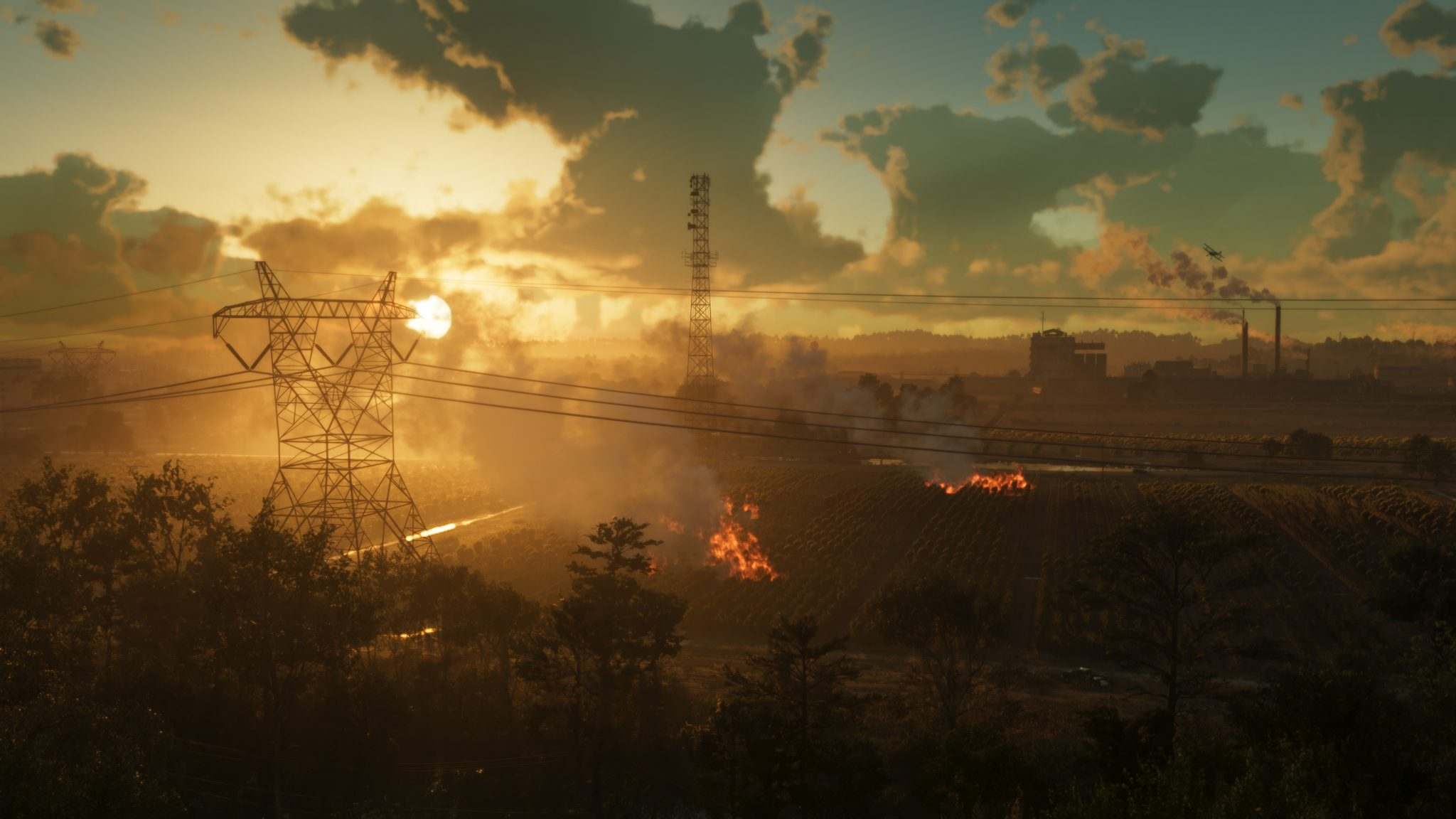
The GTA 6 vignette, the dark shading at the edges of the screen, can’t be turned off: there is no vignette option anywhere in the settings menu on any console. The closest settings are the three effect sliders in Display, including Awareness Effects Intensity, which tone down the situational screen-edge effects but not the constant shading. Fixing your brightness and HDR calibration makes the rest less noticeable, and Rockstar has said the effect was stronger than intended.
It is one of the loudest complaints since launch. A request to disable the vignette drew 3,324 upvotes in r/GTA6’s 3,548-comment wish-list thread, and “turn that vignette off” replies sit under every patch post.
What the settings menu offers
Rockstar’s settings live under Pause menu > Settings, split into Control Scheme, Controller, Gameplay, Display, UI, Camera, Audio and Account tabs. The Display tab’s Visual Effects section has Motion Blur Strength, Blood & Gore Intensity, Dismemberment, Flashbang and Brightness Reduction. None of them is a vignette switch, and there is no depth-of-field or film-grain toggle either.
The shading is worst when driving fast in daylight, where players say it can make midday look like dusk.
Awareness Effects Intensity and the other effect sliders
The same Visual Effects section has three sliders that IGN, Dexerto and DayOne all list:
| Slider | What it controls | Range and default |
|---|---|---|
| Player Status Effects Intensity | Screen effects tied to your character’s condition | 1 to 5, default 5 |
| Hit Effects Intensity | Screen effects when you are hit | 1 to 5, default 5 |
| Awareness Effects Intensity | Screen effects that alert you to what’s happening around your character | Up to 5 |
Lowering them tones down the screen-edge flashes and effects that pile on during fights and chases; one widely shared settings list on r/GTAVI recommends exactly that if they distract you. IGN’s tech editor keeps them at maximum to react faster and warns that turning them down makes the game a little harder. Dexerto suggests 4, 4 and 5. None of the three removes the always-on vignette; Digital Foundry confirms vignetting can’t be adjusted.
Brightness and HDR make it look worse
A screen that is too dim exaggerates the vignette, because the edges sink into black first.
- Turn Brightness Reduction off in Settings > Display if the whole image looks dim.
- In SDR, raise the brightness calibration value a notch (one guide suggests going from 15 to 20).
- In HDR, recalibrate in Settings > Display > HDR Calibration. On a screen of 1,000 nits or more, Max Brightness 2,000, Black Levels 20 and Paper White 35 fix the washed-out, dim look many players get. Our HDR fix has the details.
What the Nov 23 update changed
Patch 1.002.002’s notes say nothing about the vignette. Even so, after the updates on Nov 23 the most upvoted replies in the “third update” thread say the effect is lighter than at launch. Before launch, Digital Foundry reported that Rockstar had identified an issue that made the vignetting appear stronger than intended, which fits what players now see. Either way, it is reduced, not gone. Full notes: GTA 6 patch 1.002.002.
Is the vignette why my eyes hurt?
It is one of the usual suspects. Players with eye strain point at the vignette together with motion blur, the 30 fps cap and HDR on OLED panels. See GTA 6 eye strain and headaches for the settings that helped them, and GTA 6 motion blur and depth of field for the other post-processing you can and can’t change.
Sources
- r/GTA6: “Things they need to add or fix next for an even better experience”
- r/GTA6: “Third update”
- r/GTA6: “New GTA VI update rolling out now”
- r/GTAVI: GTA 6 recommended settings for better graphics
- Tpose Gaming: Can you turn off the GTA 6 vignette effect?
- Rockstar Support: How to change Grand Theft Auto VI settings
- DayOne: All in-game options in GTA 6
- IGN: GTA 6 display settings explained
- Dexerto: Best GTA 6 console settings for PS5 and Xbox
- Digital Foundry: GTA 6 on PS5 vs PS5 Pro, Xbox Series X and Series S (vignetting)
Questions
What does Awareness Effects Intensity do in GTA 6?
It sets how strong the screen effects are that warn you about what is happening around your character. Lowering it tones those situational edge effects down, but it doesn't remove the constant vignette.
Is there an option to turn off the vignette in GTA 6?
No. There is no vignette toggle on PS5, PS5 Pro or Xbox Series X|S. Rockstar's settings menu has no vignette, depth-of-field or film-grain option.
Did the GTA 6 update remove the vignette?
No. After the Nov 23 update many players say the darkening is less aggressive, but it is still there and the patch notes don't mention it.
Do sunglasses cause the vignette in GTA 6?
No. The darkening appears without them. Wearing sunglasses only makes it a little stronger.
Will the PC version let you remove the vignette?
There is no PC version yet. Rockstar hasn't announced one, so nobody can say what PC settings will offer.
Related pages
Settings
GTA 6 Motion Blur and Depth of Field: Best Settings, and What You Can't Turn Off
GTA 6 motion blur and depth of field on PS5 and Xbox. Motion blur runs 0 to 10 (default 3); depth of field has no toggle. Best values and what helps a blurry image.
Settings
GTA 6 Best Aim Settings for PS5 and Xbox
The GTA 6 best aim settings on PS5 and Xbox. Targeting mode, aim assist 0 to 4, aim sensitivity, response curve, deadzones and reticle, with the menu path for each.
Settings
Best GTA 6 Driving Settings (and How to Make Driving Easier)
The best GTA 6 driving settings on PS5 and Xbox: vehicle camera follow speed and delay, deadzones, adaptive triggers, Auto Drive, nitrous and radio options.
Settings
Can You Make GTA 6 Kid Friendly? Age Rating, Settings and Parental Controls
Can you make GTA 6 kid friendly? Not really. It's rated M (17+). The gore settings you can lower, and the PS5 and Xbox parental controls that limit it.
Card images: official screenshots. Image: Rockstar Games.